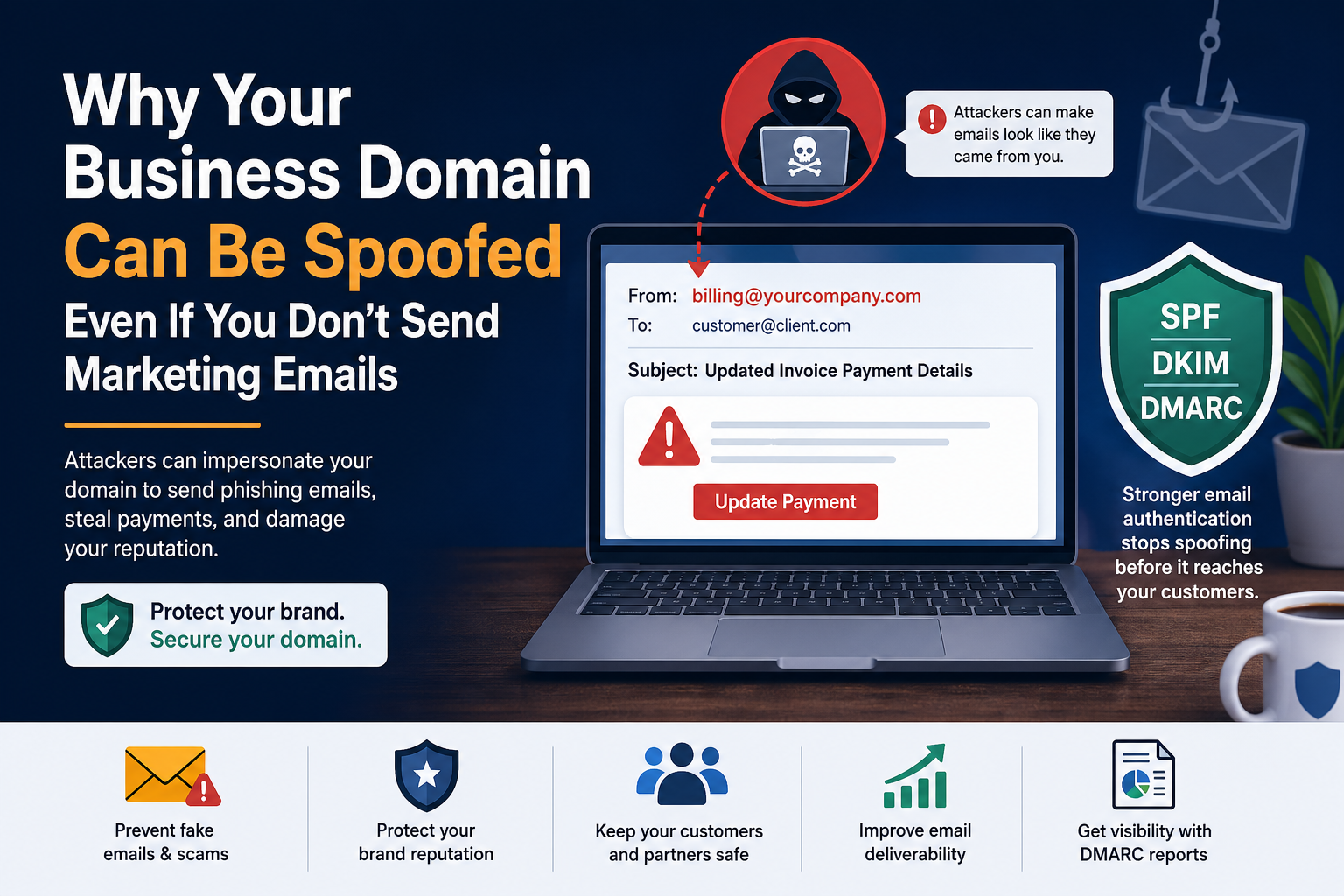
Why Your Business Domain Can Be Spoofed Even If You Don’t Send Marketing Emails
Most business owners think email security is only important for companies that send newsletters, promotions, or large email campaigns.
That is a dangerous mistake.
Your domain can be abused even if you only send a few emails per week. Even if your company does not use email marketing. Even if your website is small. Even if you believe nobody knows your brand.
If your domain exists, someone can try to pretend to be you.
This is called email spoofing, and it is one of the most common methods used in phishing attacks, fake invoices, payment fraud, credential theft, and business email compromise.
The scary part is that attackers do not always need to hack your email account. In many cases, they simply fake the sender address and make the message look like it came from your company.
That means your customers, suppliers, employees, or partners may receive an email that appears to come from your domain, even though you never sent it.
This is exactly why every business domain needs proper SPF, DKIM, and DMARC protection.
What Is Email Spoofing?
Email spoofing is when someone sends an email using a fake sender identity.
For example, an attacker may send an email that looks like this:
From: [email protected]
Subject: Updated invoice payment details
The email may include your company name, your logo, a fake invoice, and a message asking the customer to transfer money to a new bank account.
To the customer, it may look real.
But behind the scenes, the email did not actually come from your approved mail system.
This is the problem with email by default: the “From” address shown to the recipient can be forged if the domain is not properly protected.
That is why email authentication exists.
“But We Don’t Send Marketing Emails”
This is one of the biggest misunderstandings in business email security.
Many companies think:
“We do not send bulk emails, so we are safe.”
But attackers do not care whether you send marketing campaigns.
They care about trust.
If your domain belongs to a real company, it has value. It can be abused to trick people who already know your name.
Your domain can be used in attacks against:
Customers
Suppliers
Employees
Accountants
Partners
Banks
Schools
NGOs
Clinics
Vendors
Internal departments
A small company can be targeted just like a large company, because the attacker’s goal is not always fame. Sometimes the goal is one successful payment, one stolen password, or one fake invoice that looks believable.
Why Attackers Use Real Business Domains
Attackers prefer real company domains because they create instant trust.
Imagine receiving these two emails:
[email protected]
[email protected]
Most people are more likely to trust the second one.
That is why spoofing works.
A known domain makes a fake email look professional. It reduces suspicion. It makes the victim think, “I know this company, so this must be safe.”
Attackers use this trust to:
Send fake invoices
Request bank account changes
Steal login credentials
Spread malware attachments
Pretend to be the CEO or finance manager
Trick customers into paying the wrong account
Damage your company’s reputation
Even if the attacker fails, your brand may still be harmed. Customers may call you asking why they received a strange email. Suppliers may lose confidence. Your domain may be reported as suspicious. Your real emails may start going to spam.
Spoofing Does Not Always Require a Hack
Many people think, “If my mailbox was not hacked, then nobody can send from my domain.”
Unfortunately, that is not always true.
Spoofing is different from account compromise.
Account compromise means someone actually got access to your mailbox.
Spoofing means someone pretended to send from your domain without logging in.
Both are dangerous, but spoofing is often easier for attackers when a domain has weak or missing DNS email protection.
That is why changing your email password does not solve spoofing by itself.
You need domain-level protection.
The Three Records That Protect Your Domain
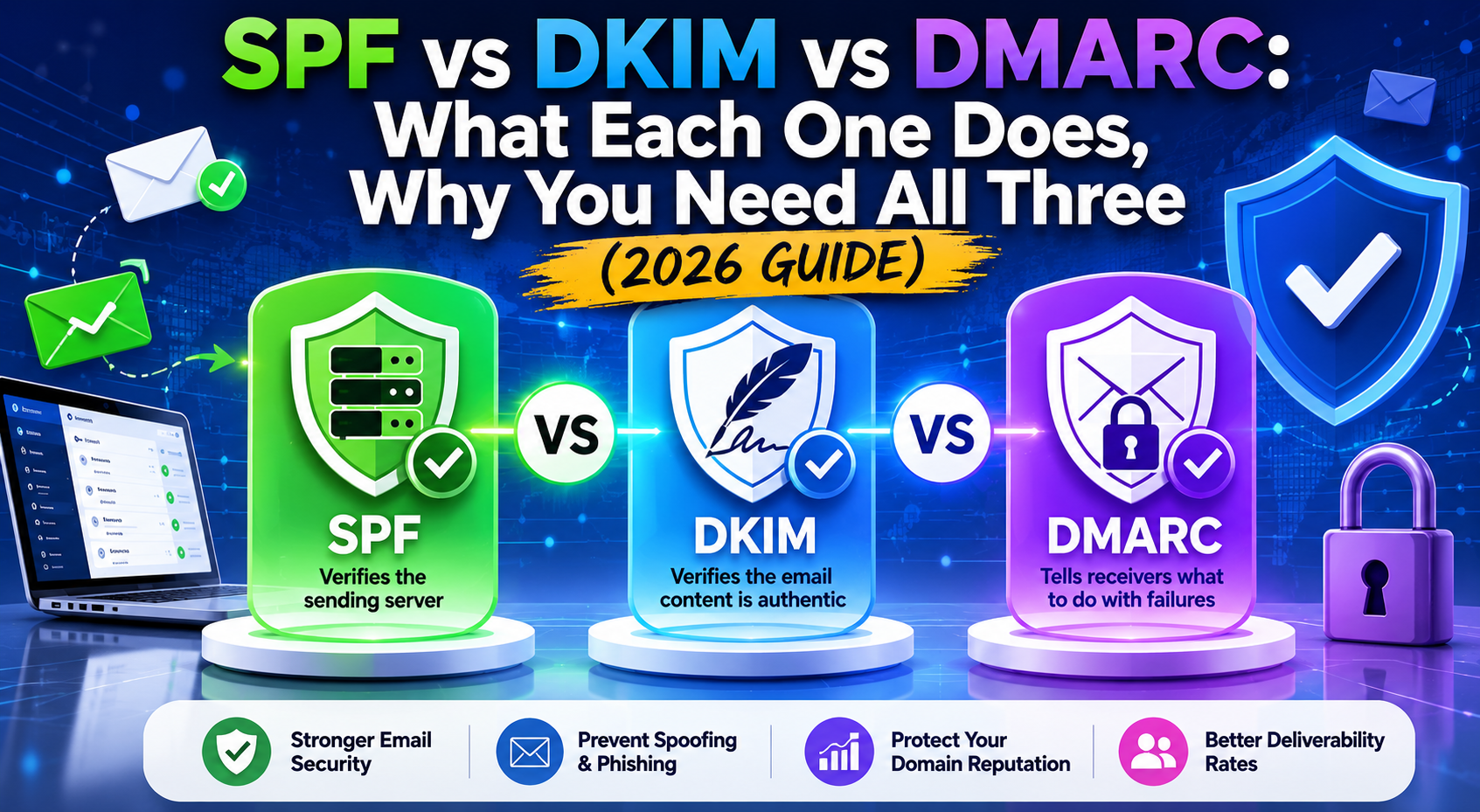
To protect a domain from spoofing, businesses usually need three main email authentication systems:
SPF
DKIM
DMARC
Each one has a different job.
Together, they help receiving mail servers decide whether an email claiming to come from your domain is legitimate or suspicious.
SPF: Who Is Allowed to Send Email for Your Domain?
SPF stands for Sender Policy Framework.
It is a DNS record that tells the world which mail servers are allowed to send email for your domain.
For example, if your company uses Google Workspace, Microsoft 365, Mailgun, Brevo, Zoho, or another email platform, your SPF record should include the approved sending service.
When a receiving mail server gets an email from your domain, it can check your SPF record and ask:
“Was this email sent from a server that this domain owner approved?”
If the answer is no, the message may be suspicious.
SPF is important, but SPF alone is not enough. It has limitations, especially with forwarding and alignment. That is why DKIM and DMARC are also needed.
DKIM: Was the Email Changed or Forged?
DKIM stands for DomainKeys Identified Mail.
DKIM adds a digital signature to your outgoing emails.
Think of it like a seal on an envelope.
When your mail platform sends an email, it signs the message using a private key. The receiving server checks that signature using a public key published in your DNS.
If the signature is valid, the receiving server knows the message was authorized by your domain’s mail system and was not changed in transit.
DKIM helps prove that the email is legitimate.
But just like SPF, DKIM alone is not enough. A domain can have DKIM and still be vulnerable if DMARC is missing or weak.
DMARC: What Should Happen to Fake Emails?
DMARC stands for Domain-based Message Authentication, Reporting, and Conformance.
DMARC connects SPF and DKIM together and adds a policy.
It tells receiving mail servers what to do when an email fails authentication.
There are three main DMARC policy levels:
none
quarantine
reject
A policy of “none” means: monitor only. Do not block suspicious emails yet.
A policy of “quarantine” means: send suspicious emails to spam or junk.
A policy of “reject” means: block fake emails before they reach the inbox.
This is where real protection begins.
Without DMARC, receiving servers may not know what action your domain owner wants them to take. With a strong DMARC policy, your domain becomes much harder to abuse.
Why “p=none” Is Not Full Protection
Many businesses have a DMARC record, but it is set to:
p=none
This is useful for monitoring, but it does not stop spoofing.
A p=none policy tells mail servers to collect reports and allow visibility, but it does not instruct them to block or quarantine fake messages.
It is like installing security cameras but leaving the front door open.
That does not mean p=none is bad. In fact, it is often the correct first step. You should monitor your legitimate email sources before moving to stronger enforcement.
But staying on p=none forever is risky.
The goal should usually be to move safely toward quarantine or reject after confirming that your legitimate senders are properly configured.
What Can Happen If Your Domain Is Not Protected?
A weak domain can create serious problems.
1. Customers May Receive Fake Invoices
Attackers may send payment requests that appear to come from your company.
The customer may transfer money to the wrong bank account and only discover the fraud later.
Even if you are not legally responsible, the relationship may be damaged.
2. Your Brand Reputation Can Be Harmed
If people receive phishing emails using your domain, they may start associating your brand with fraud.
Trust is hard to build and easy to lose.
3. Your Real Emails May Go to Spam
Poor email authentication can hurt deliverability.
Mail providers are becoming stricter. If your domain is not properly authenticated, your real emails may be treated as suspicious.
That means invoices, proposals, password resets, support replies, and business messages may not reach the inbox.
4. Attackers May Target Your Employees
Spoofing is not only external.
An attacker can send an email that looks like it came from the CEO, finance department, HR, or IT team.
Examples:
“Please send me the updated payroll file.”
“Click here to reset your company password.”
“Transfer this payment urgently.”
“Open the attached contract.”
This is how business email compromise starts.
5. Your Domain May Be Used Without You Knowing
Without DMARC reports, you may have no visibility.
Your domain could be abused for weeks or months before anyone tells you.
DMARC reporting helps you see who is sending email on behalf of your domain and whether those emails are passing or failing authentication.
Email Security Is Not Only for Large Companies
Small and medium businesses often think attackers only target banks, governments, or global brands.
That is no longer true.
Attackers now use automation. They scan domains, look for weak DNS records, and search for companies with missing or misconfigured email authentication.
A small business may be an easier target because it usually has:
Less security monitoring
No dedicated security team
Weak DNS configuration
Old SPF records
No DMARC enforcement
Multiple email services added over time
Limited visibility into email abuse
This makes smaller businesses attractive targets.
The good news is that improving email authentication is one of the most practical security upgrades a business can make.
The Common Mistake: Adding SPF Once and Forgetting It
Many companies set up SPF years ago and never check it again.
Over time, things change.
You may add a new CRM.
You may switch from one email provider to another.
You may start using an invoicing system.
You may add a newsletter platform.
You may stop using an old service but leave it in your DNS.
You may exceed the SPF lookup limit.
You may have duplicate SPF records.
Any of these problems can weaken your domain’s protection.
Email authentication is not a one-time task. It needs monitoring.
The Second Common Mistake: Thinking DMARC Is Too Technical
DMARC can look technical, especially because it involves DNS records, alignment, reports, policies, and mail sources.
But the business idea is simple:
You want to know who is sending email using your domain.
You want to make sure legitimate emails pass.
You want to block fake emails.
You want to protect your customers and your reputation.
That is it.
The technical part can be managed with the right tools, but the business reason is very clear.
How to Know If Your Domain Is Vulnerable
Your domain may be vulnerable if:
You do not have a DMARC record
Your DMARC policy is set to p=none forever
Your SPF record is missing
Your SPF record has errors
You have more than one SPF record
Your DKIM is not configured
Your mail sources are not aligned
Your reports are not monitored
You do not know which services send email for your domain
A domain can look professional from the outside and still have weak email protection behind the scenes.
That is why scanning your domain is important.
What Businesses Should Do First
If you want to reduce spoofing risk, start with these steps.
Step 1: Check Your Current Email Authentication
Run a scan for your domain and check:
SPF status
DKIM status
DMARC status
DMARC policy
DNS errors
Mail alignment issues
Missing records
Misconfigured records
This gives you a clear starting point.
Step 2: Identify All Legitimate Senders
List every platform that sends email for your domain.
This may include:
Google Workspace
Microsoft 365
Website contact forms
CRM systems
Accounting software
Newsletter tools
Support ticket systems
Payment platforms
Hosting servers
Password reset systems
Marketing tools
If a service sends email using your domain, it must be included in your authentication plan.
Step 3: Fix SPF and DKIM
Make sure SPF includes only the services you actually use.
Make sure DKIM is enabled for each major sending platform.
Do not guess. Wrong DNS changes can break legitimate email delivery.
Step 4: Start DMARC Monitoring
Begin with a safe monitoring policy if needed.
This helps you collect data before enforcing stricter protection.
Step 5: Move Toward Enforcement
After legitimate senders are passing authentication, move from monitoring toward quarantine or reject.
This is where your domain becomes much harder to spoof.
Why DMARC Reports Matter
DMARC reports show which servers are sending email using your domain.
This is powerful because it gives you visibility.
You may discover:
Old systems still sending email
Unknown services using your domain
Misconfigured platforms
Forwarding issues
Failed authentication
Possible spoofing attempts
Legitimate email that needs fixing
Without reports, you are mostly guessing.
With reports, you can make decisions based on real data.
Domain Protection Is Brand Protection
Your domain is part of your brand.
It appears on your website, business cards, invoices, email signatures, proposals, contracts, and customer communications.
If attackers abuse it, they are not only attacking your email system. They are attacking your trust.
Customers do not care whether the issue came from DNS, SPF, DKIM, or DMARC.
They only see your company name on a suspicious email.
That is why domain protection should be treated as part of brand protection, not only IT security.
A Simple Example
Imagine you own a company called Example Office Supplies.
You rarely send marketing emails. You mostly use email for invoices and customer communication.
An attacker sends this email to one of your customers:
From: [email protected]
Subject: Updated bank details for your next payment
The customer recognizes the domain and trusts the message.
If your domain has no strong DMARC policy, that fake email may reach the inbox.
But if your domain is protected with properly configured SPF, DKIM, and DMARC enforcement, the receiving mail server has a clear instruction:
This message is not authorized. Reject it.
That is the difference between hoping people notice the fraud and stopping the fake email before it causes damage.
The Best Time to Fix This Is Before an Attack
Many companies only care about DMARC after something bad happens.
A customer gets scammed.
A fake invoice is sent.
A supplier complains.
Emails start going to spam.
The domain reputation gets damaged.
By then, the damage is already done.
Email authentication is preventive security.
It is much better to protect the domain before attackers use it.
Final Thoughts
Your business domain can be spoofed even if you do not send marketing emails.
If you own a domain, you own a digital identity. That identity can be trusted, abused, protected, or neglected.
SPF, DKIM, and DMARC help prove which emails are real and which ones should not be trusted.
For business owners, the message is simple:
Do not wait until your customers receive fake emails from your domain.
Check your domain. Fix your records. Monitor your reports. Move toward DMARC enforcement.
Your domain is not just an address.
It is part of your company’s reputation.
Protect it before someone else uses it against you.
Call to Action
Want to know if your domain is protected from spoofing?
Run a free domain scan with SpoofWard and check your SPF, DKIM, DMARC, and DNS health in minutes:
Stay in the loop
Get notified when we publish new email security insights.