Most businesses treat DNS the way most people treat their car’s transmission: invisible, mysterious, and only thought about when it breaks. The problem is that with DNS, when it breaks, it usually does not announce itself with a warning light. Your email starts landing in spam. Your domain quietly gets used in phishing attacks. Your TLS certificates get issued to the wrong authority. Your search rankings dip. And nobody notices for weeks — sometimes years — because everything else still appears to work.
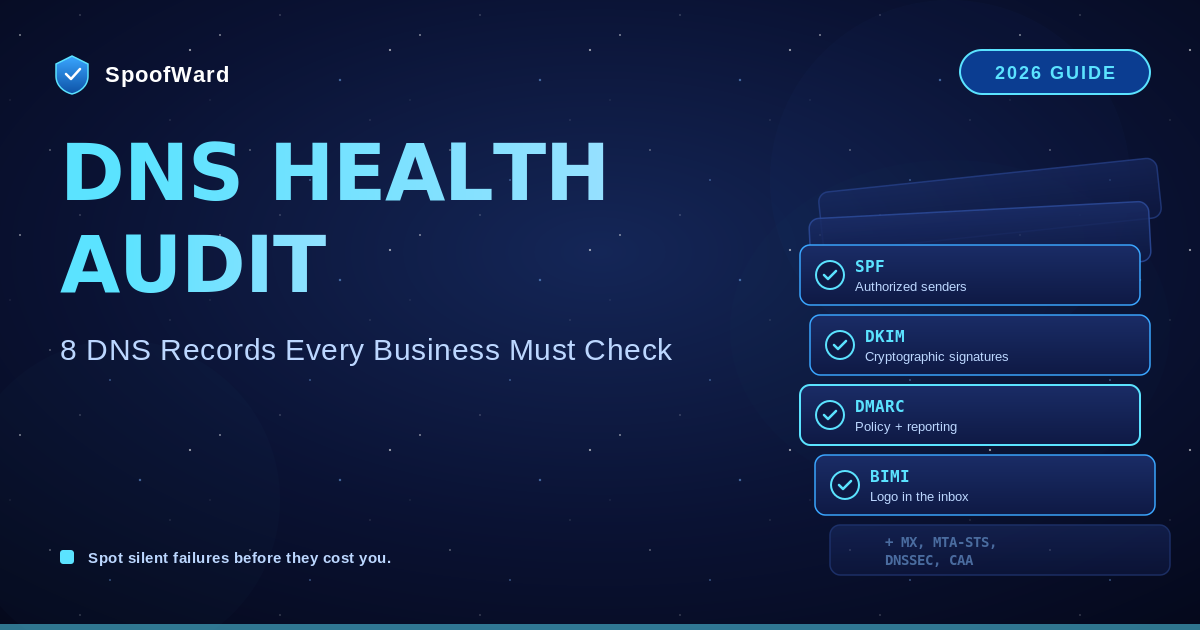
A DNS health audit is the periodic checkup that catches all of these problems before they cost you money. It takes a few hours, costs nothing, and is one of the highest-leverage security and deliverability exercises a business can do. This guide walks through the eight DNS records every domain owner should audit, what each one does, what “healthy” looks like, and how to spot the silent failures that hide in plain sight.
Why DNS Health Matters More Than You Think
DNS is the address book of the internet. It tells the world where to find your website, where to deliver your email, who is allowed to send mail in your name, and what cryptographic claims to trust about your identity. Every single one of those decisions is made by software you do not control — Gmail, Cloudflare, your customers’ browsers, certificate authorities, security scanners — and they all look at the same DNS records you publish.
That means your DNS records are not just configuration. They are public statements about who you are and what you allow. A misconfigured record is not a private mistake; it is a public security hole. A missing record is not an oversight; it is an open invitation to anyone who notices first.
The modern threat landscape has only made this worse. Phishing and business email compromise are the largest single source of financial cybercrime loss. Domain reputation directly drives email deliverability. Search engines factor security signals into rankings. Insurance carriers ask about DNS posture during underwriting. Compliance frameworks audit it. The cost of getting DNS wrong has never been higher, and the cost of getting it right has never been lower.
So here is the checklist.
1. MX Records: Where Your Mail Actually Goes
Your MX records tell the world which servers should receive email for your domain. They are the foundation of your entire email infrastructure, and they are also one of the most common places where stale configuration hides.
Audit it: Look up the MX records for your domain and confirm every entry points to a mail server you actually use. Verify priority values make sense (lower number = higher priority). Check that no entries point to old providers, decommissioned servers, or test environments. Confirm that every MX target resolves to a valid A or AAAA record.
Common failures: MX records pointing to a previous email provider you switched away from two years ago. Multiple MX records with the same priority causing unpredictable routing. MX targets that no longer resolve, causing silent bounce failures.
2. SPF: Your Authorized Sender List
SPF (Sender Policy Framework) is a TXT record that lists every server allowed to send email on your behalf. It is the first layer of email authentication, and it is also where silent failures cluster — especially the dreaded 10-DNS-lookup limit that breaks SPF with no warning.
Audit it: Confirm you have exactly one SPF record (multiple SPF records cause all of them to fail). Verify it includes every legitimate sender — marketing tool, CRM, transactional mail provider, billing system, helpdesk, HR. Count the DNS lookups produced by your include: directives; if you are at or near 10, you need SPF flattening. Confirm it ends with -all (strict) or ~all (soft fail), not +all (which authorizes everyone, a critical security hole).
Common failures: Two competing SPF records published accidentally. Hidden include: chains that push you over the 10-lookup limit. Forgotten SaaS tools sending mail that fails SPF, causing legitimate email to land in spam. An old +all left over from initial testing that authorizes the entire internet to send as you.
For a complete deep dive, see our SPF vs DKIM vs DMARC guide.
3. DKIM: Cryptographic Proof of Authenticity
DKIM (DomainKeys Identified Mail) is a public key published in DNS at a selector specific to each sending service. Every outbound message is cryptographically signed; the receiving server uses your public key to verify the signature.
Audit it: List every sending service you use and confirm each one has a corresponding DKIM record at the correct selector (e.g., selector1._domainkey.yourdomain.com). Check that each key is at least 2048 bits — older 1024-bit keys are increasingly rejected by major providers. Verify keys have not been rotated out from under you by a provider’s automated key rotation.
Common failures: Sending services with DKIM enabled in their dashboard but no published DNS record (silent authentication failure). Old keys for services you no longer use cluttering your DNS. Keys that have technically expired but are still being served because nobody rotated them.
4. DMARC: The Policy and Visibility Layer
DMARC (Domain-based Message Authentication, Reporting, and Conformance) is the supervisor that sits on top of SPF and DKIM. It enforces alignment, sets policy for failed messages, and provides daily aggregate reports.
Audit it: Confirm a DMARC record exists at _dmarc.yourdomain.com. Check the policy: p=none is monitor-only and provides zero protection. p=quarantine sends failed messages to spam. p=reject blocks them outright. Verify a rua= reporting address is set and the inbox or platform receiving the XML reports is actually being monitored. Check pct=100 — partial enforcement is a configuration smell. Confirm sp= is set if you have subdomains.
Common failures: A DMARC record at p=none that has been there for three years because nobody finished the rollout. A rua= address that nobody has read in a year, so the daily reports pile up unseen. Missing subdomain policy, leaving marketing.yourdomain.com wide open to spoofing.
For the full breakdown, see our DMARC Explained guide.
5. BIMI: Your Logo in the Inbox
BIMI (Brand Indicators for Message Identification) is the newest entry on this list and the only one that is genuinely optional. It publishes a logo and a Mark Certificate so supporting inboxes display your brand next to every authenticated message.
Audit it: If you have a BIMI record at default._bimi.yourdomain.com, verify the SVG URL is reachable, the certificate URL is reachable, the certificate has not expired (they are annual), and the SVG complies with the SVG Tiny PS profile. If you have no BIMI record but your DMARC is at enforcement, you are leaving brand visibility on the table.
Common failures: Expired Mark Certificate causing the logo to silently disappear from every inbox overnight. SVG hosted at an HTTP (not HTTPS) URL. BIMI record published without DMARC at enforcement, causing it to be silently ignored.
For deployment details, see our BIMI guide.
6. MTA-STS: Encryption in Transit
MTA-STS (Mail Transfer Agent Strict Transport Security) is the email equivalent of HSTS for the web. It tells other mail servers that your domain only accepts encrypted (TLS) connections, preventing downgrade attacks where an attacker intercepts mail in transit and forces it to plaintext.
Audit it: Check for a TXT record at _mta-sts.yourdomain.com and a policy file hosted at https://mta-sts.yourdomain.com/.well-known/mta-sts.txt. Confirm the policy mode is enforce (not testing). Verify the listed MX hostnames match your actual MX records.
Common failures: No MTA-STS record at all, meaning every email between your servers and the rest of the world can theoretically be downgraded. Policy stuck in testing mode for years. Policy hostnames out of sync with current MX records, causing legitimate inbound mail to be rejected.
7. DNSSEC: Cryptographic DNS Integrity
DNSSEC (Domain Name System Security Extensions) cryptographically signs your DNS records so that resolvers can verify they have not been tampered with in transit. Without DNSSEC, an attacker positioned between a customer’s resolver and your authoritative DNS can return forged answers — and the customer’s browser or mail client has no way to detect the forgery.
Audit it: Check whether DNSSEC is enabled at your registrar. Verify the DS record at your registrar matches the DNSKEY in your zone. Use a DNSSEC validator to confirm the chain of trust is intact from the root all the way down to your domain.
Common failures: DNSSEC never enabled despite being a one-click toggle at most modern registrars. DNSSEC enabled but broken because of a key rollover that did not propagate the new DS record to the registrar, causing every DNSSEC-validating resolver in the world to refuse to answer for your domain. The fastest way to take your own site offline.
8. CAA: Who Can Issue Certificates for You
CAA (Certification Authority Authorization) records tell certificate authorities which CAs are allowed to issue TLS certificates for your domain. Without CAA, any CA in the world can technically issue a certificate for yourdomain.com if presented with valid domain validation — and several historical incidents have involved CAs being tricked into issuing certificates for domains they had no business signing.
Audit it: Confirm CAA records exist at your apex domain. Verify they list only the CAs you actually use (Let’s Encrypt, DigiCert, etc.). Check for the iodef= tag pointing to a contact for any unauthorized issuance attempts. Confirm the policy covers wildcards if you use them.
Common failures: No CAA records at all, leaving every CA in the world authorized by default. CAA records listing CAs you abandoned years ago. CAA records that accidentally exclude the CA you currently use, breaking certificate renewals.
How to Run This Audit
You can do most of this audit by hand with dig, nslookup, or any one of the free DNS lookup tools online. For each record type, query your domain, read the response, and check it against the criteria above. Budget an hour for a domain with simple infrastructure, half a day for a complex one with many subdomains and sending sources.
If you want to automate it, this is exactly what platforms like SpoofWard exist for. We continuously check every record above (and several more), score the health of your DNS, alert you when something changes, and translate the technical findings into plain-English priorities. The audit you do by hand once a quarter, we do every day.
Either way, the important thing is that the audit happens. The most expensive DNS problems are the ones that have been silently broken for so long that nobody on the team remembers they exist.
What “Healthy DNS” Looks Like in 2026
A healthy domain in 2026 has all of the following: clean MX records pointing only to current providers; a single SPF record under 10 lookups ending in -all; DKIM keys of at least 2048 bits for every sending service; DMARC at p=quarantine or p=reject with reports being actively monitored; BIMI deployed if brand visibility matters; MTA-STS in enforce mode; DNSSEC enabled and validated; and CAA records limiting certificate issuance to the CAs you actually use.
That list is achievable for a business of any size. None of these records require special infrastructure. None of them require ongoing operational burden once set up correctly. They just require somebody to actually set them up correctly and to check, periodically, that nothing has drifted.
Where to Go From Here
Pick a calendar slot in the next two weeks and run this audit on your primary domain. If you find issues — and you almost certainly will — fix the easy ones immediately and create a project plan for the rest. Then do the same for every other domain you own, including the ones you do not actively use (orphaned domains are a favorite target for attackers because nobody is monitoring them).
DNS is not glamorous, but it is foundational. Every other piece of your security and deliverability strategy assumes DNS is correct. If that assumption is wrong, everything built on top of it is wrong too. A few hours spent auditing now will save you weeks of incident response later — and might just save your domain from being weaponized while you are not looking.
Stay in the loop
Get notified when we publish new email security insights.